
Hold settings give you flexibility by letting you retain your current mode and temperature instead of automatically switching to the next schedule. On the Cielo Smart Thermostat, you can choose from the following options:
- 'Hold till next schedule' lets you hold the current settings until the next schedule begins (if any).
- 'Hold till a specific time' lets you hold the current settings for a specific time, from 1 hour to 24 hours.
- 'Permanent Hold' lets you hold the current settings until you manually change them.
How to Set Up Hold Settings on Cielo Smart Thermostat?
Cielo Smart Thermostat provides the flexibility of setting Hold settings on the thermostat or via the Cielo Home App.
Turning On Hold Settings on Cielo Smart Thermostat
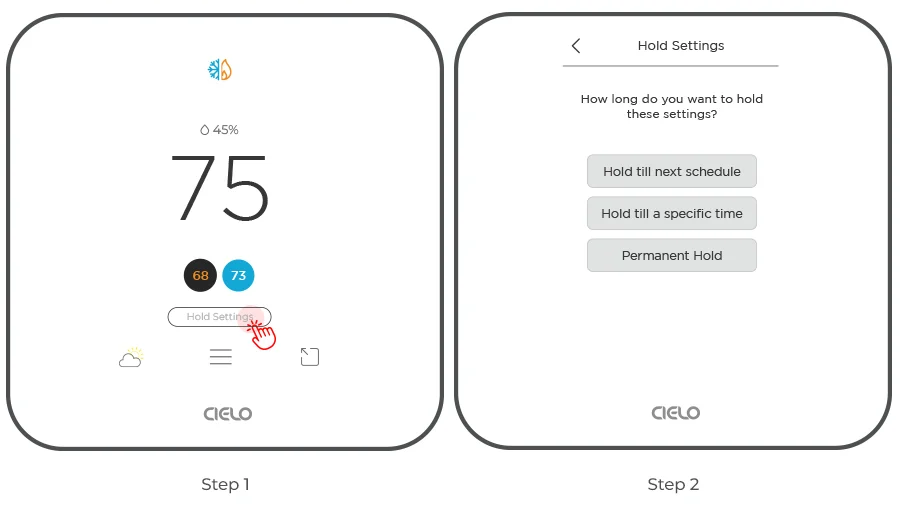
Step 1: On the thermostat display, locate the Hold option.
Step 2: Tap on 'Hold Settings'. Three options will appear on the screen. Select the one that best fits your preference.
Setting Hold Settings via Cielo Home App
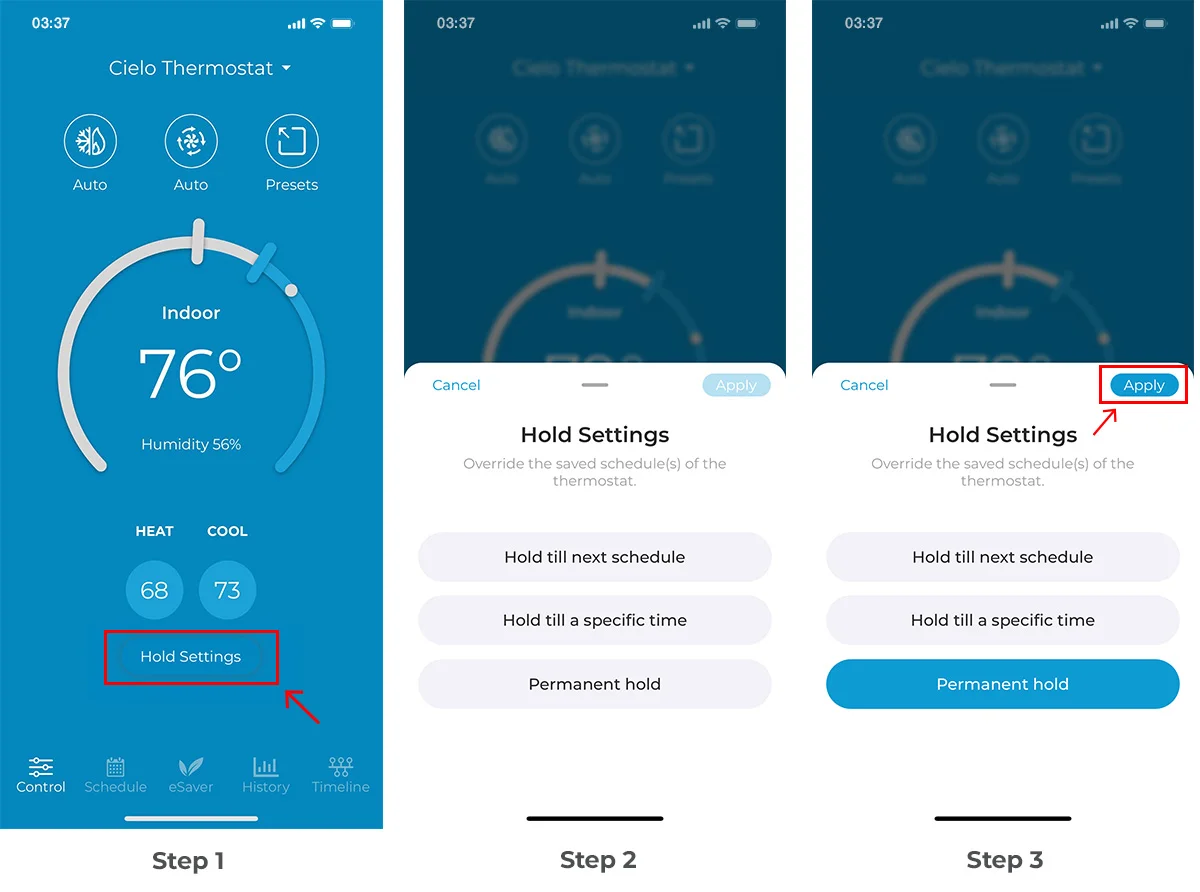
Step 1: Open the Cielo Home App. On the thermostat control screen, tap on 'Hold Settings'.
Step 2: Choose from the available Hold options. This locks your chosen temperature and overrides the set schedule.
Step 3: Tap 'Apply'. Your Hold settings will be active.
[[related:13988503885207]]